01Platform
02
Command
Center
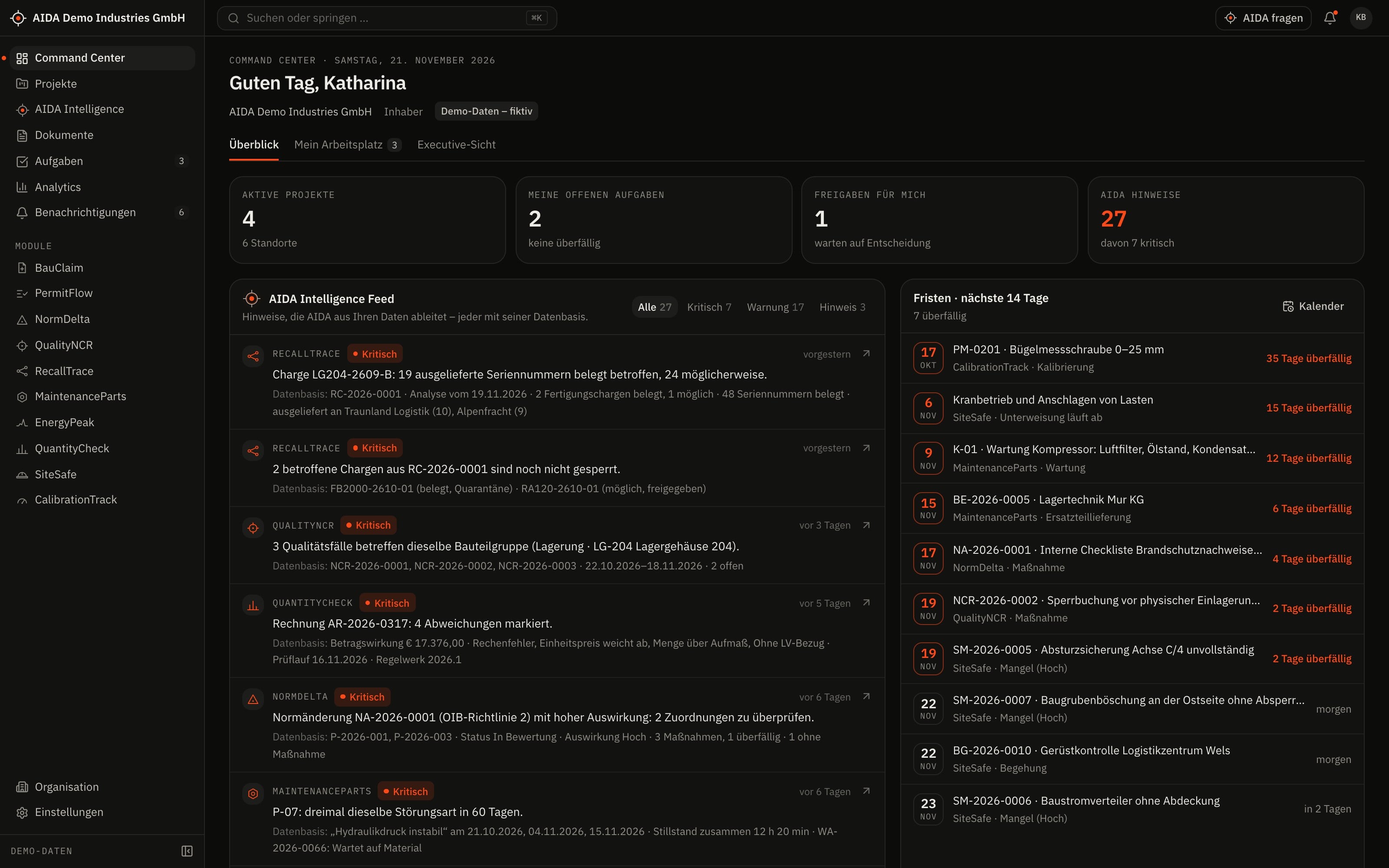
The first view after sign-in: key figures, insights and deadlines from every enabled module – limited to what you are allowed to see.
- Overview
- key figures, module cards, project list and the deadlines of the next 14 days – overdue dates highlighted
- My workspace
- your own tasks, approvals, projects, recently changed documents and notifications
- Executive view
- project volume and status plus key figures by topic, each with its most important insight – only with the permission for it
- AIDA Intelligence feed
- insights from the modules, each with its evidence and a link to the record, filterable by severity
03
One Place
to Work
Projects, documents, tasks and analysis do not belong to one module but to all of them. That is why they live in the platform.
Projects and project workspace
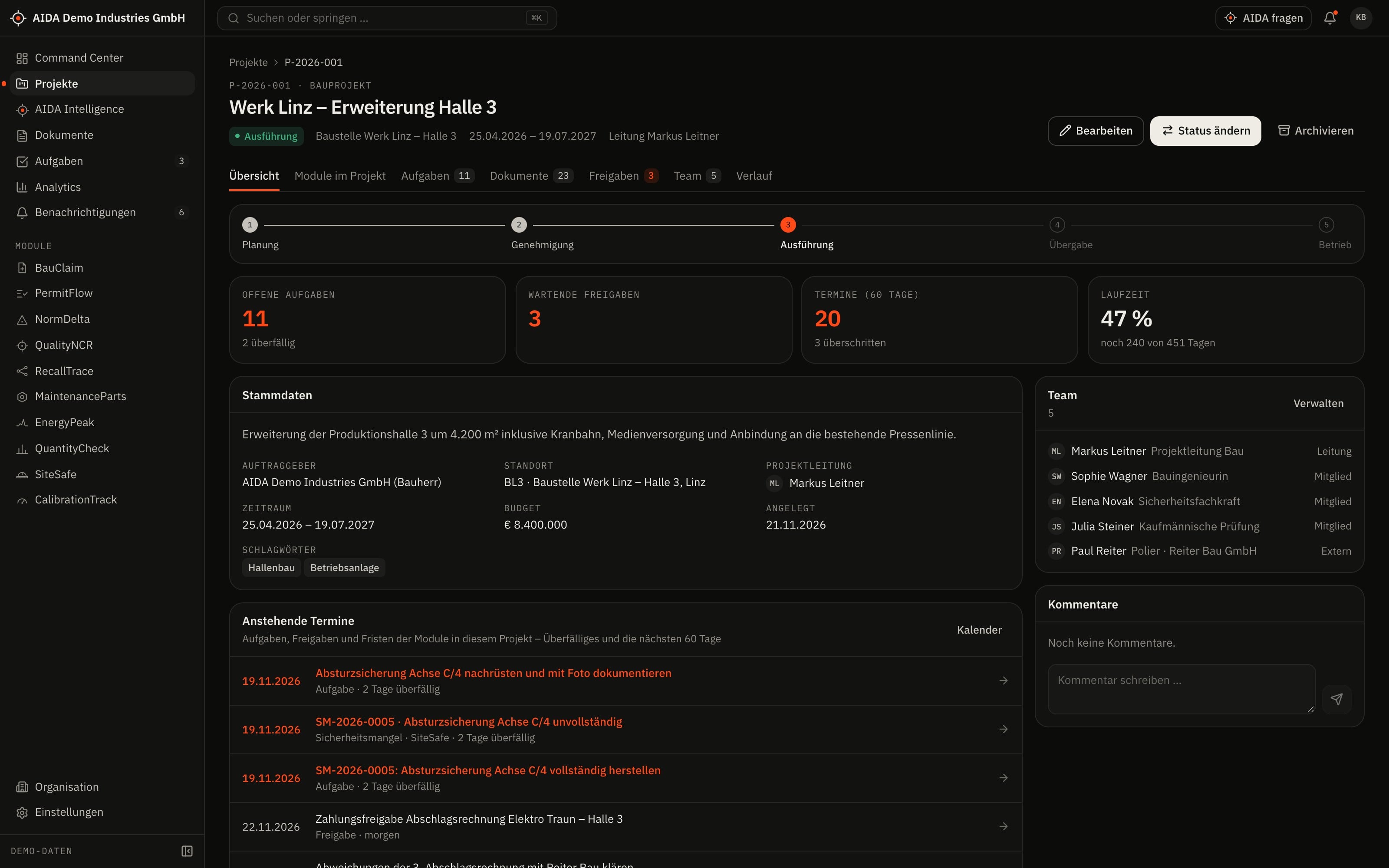
A project bundles what belongs to it: site, members, documents, tasks and the records of the modules.
- Construction and industrial projects with status, lead and site; list with search, filters and CSV export
- Project workspace with overview, the modules' figures for the project, tasks, documents, approvals, team and history
- Project members control access: anyone who is not a member does not see the project – unless they hold the right to all projects
Documents
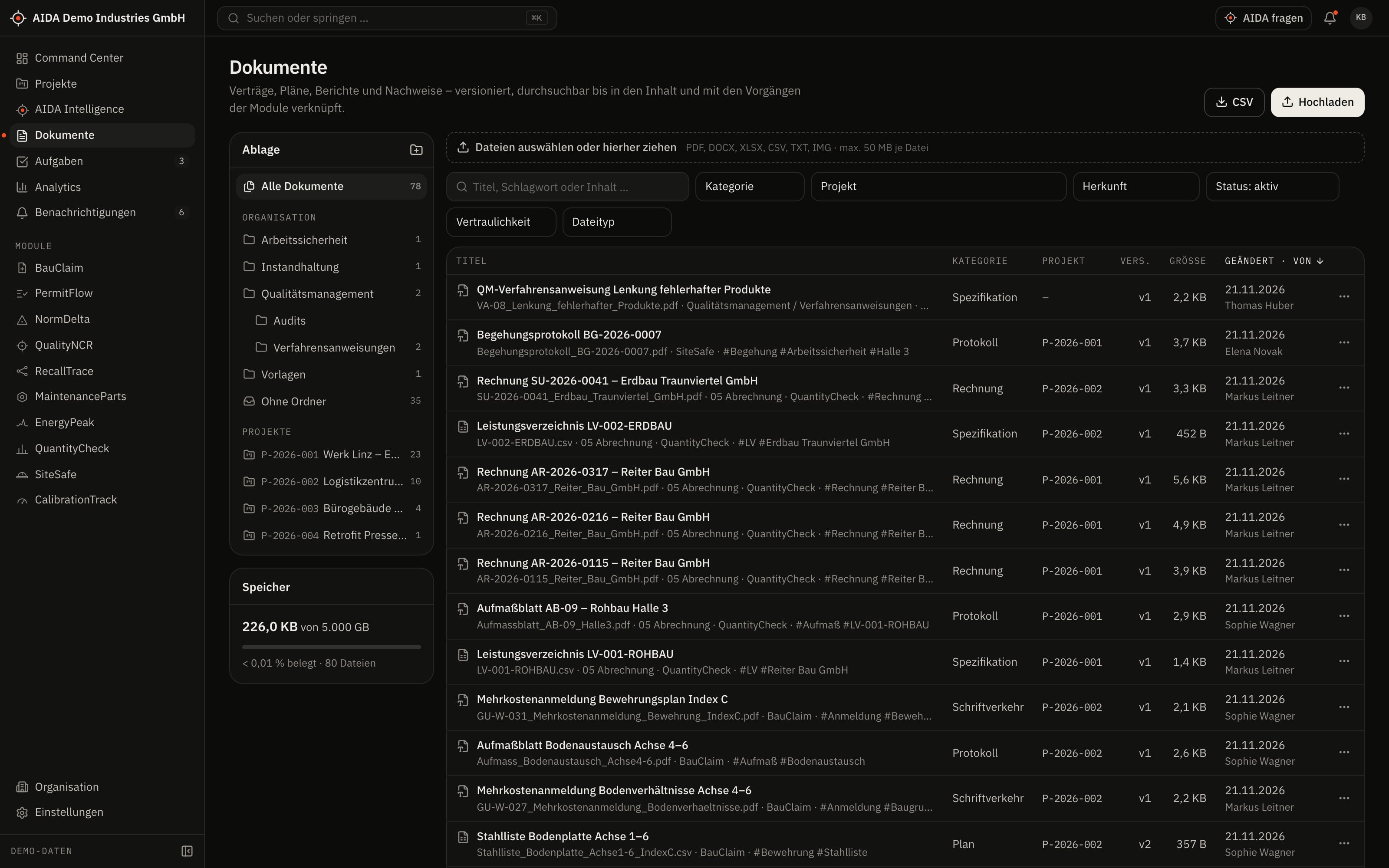
One store for all modules – with versions, folders and a search that also knows the content of the files.
- Versions with checksum (SHA-256) and comparison of the extracted text; notice of duplicates
- Full-text search in the content with page reference – text is extracted from PDF, DOCX, XLSX, CSV and text files; scanned PDFs without a text layer are not
- Folder tree per organisation and project, preview for PDFs and images, “used in” display
- Confidentiality “internal” or “restricted” – restricted documents require a separate permission
- File-type validation via the file signature on upload, storage quota per plan
Tasks, approvals, calendar
What needs doing is created where the work arises – on a module record – and comes together in one place.
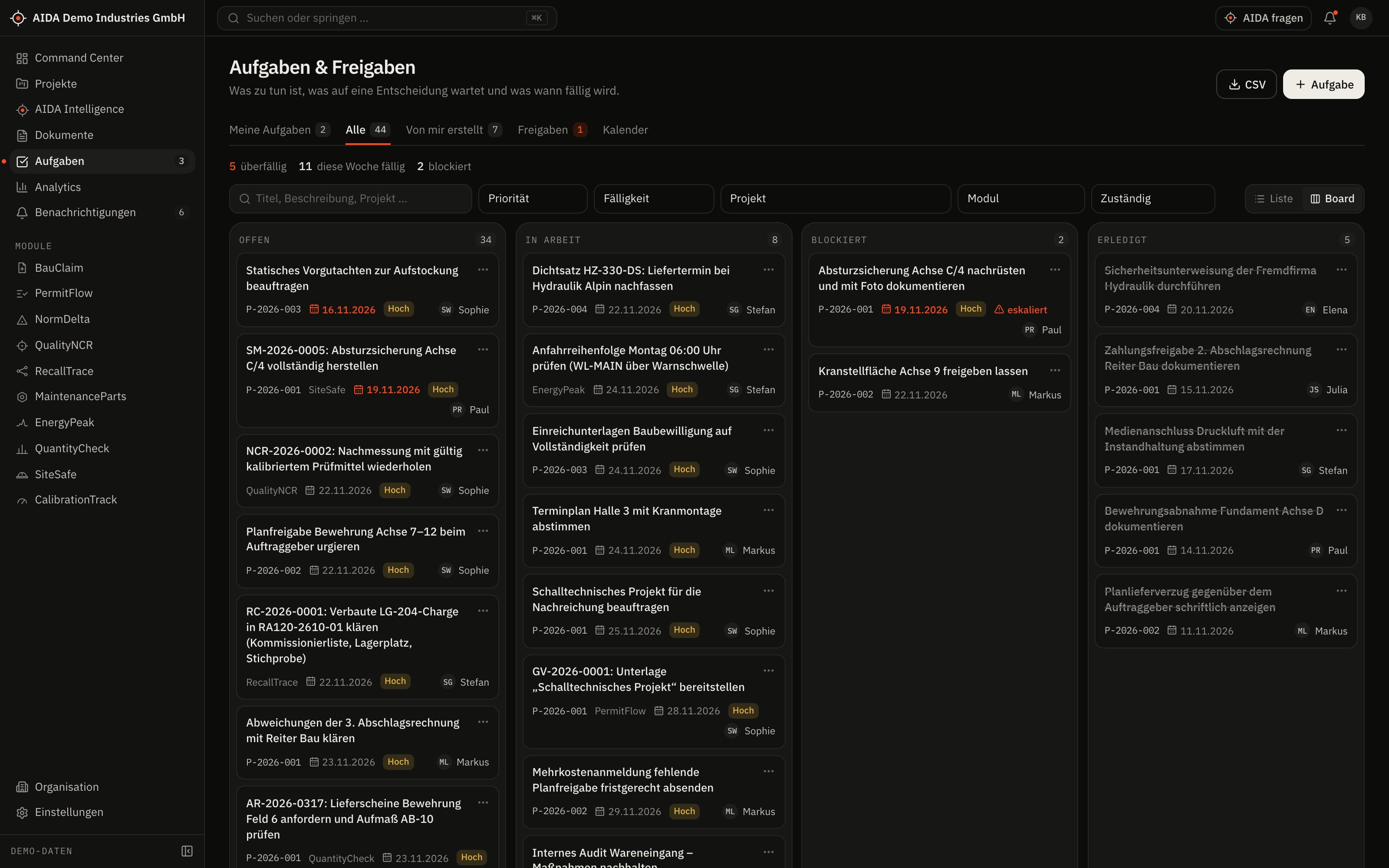
- Tasks with an owner, a due date and a link to the record; as a list and as a board that also works by keyboard
- Approvals under the four-eyes principle with a documented decision – functional sign-offs require the “approve” right in the module
- Calendar with tasks, approvals and the modules' deadlines, exportable as an iCalendar file; reminders via a background service
- Comments, attachments and history on every record
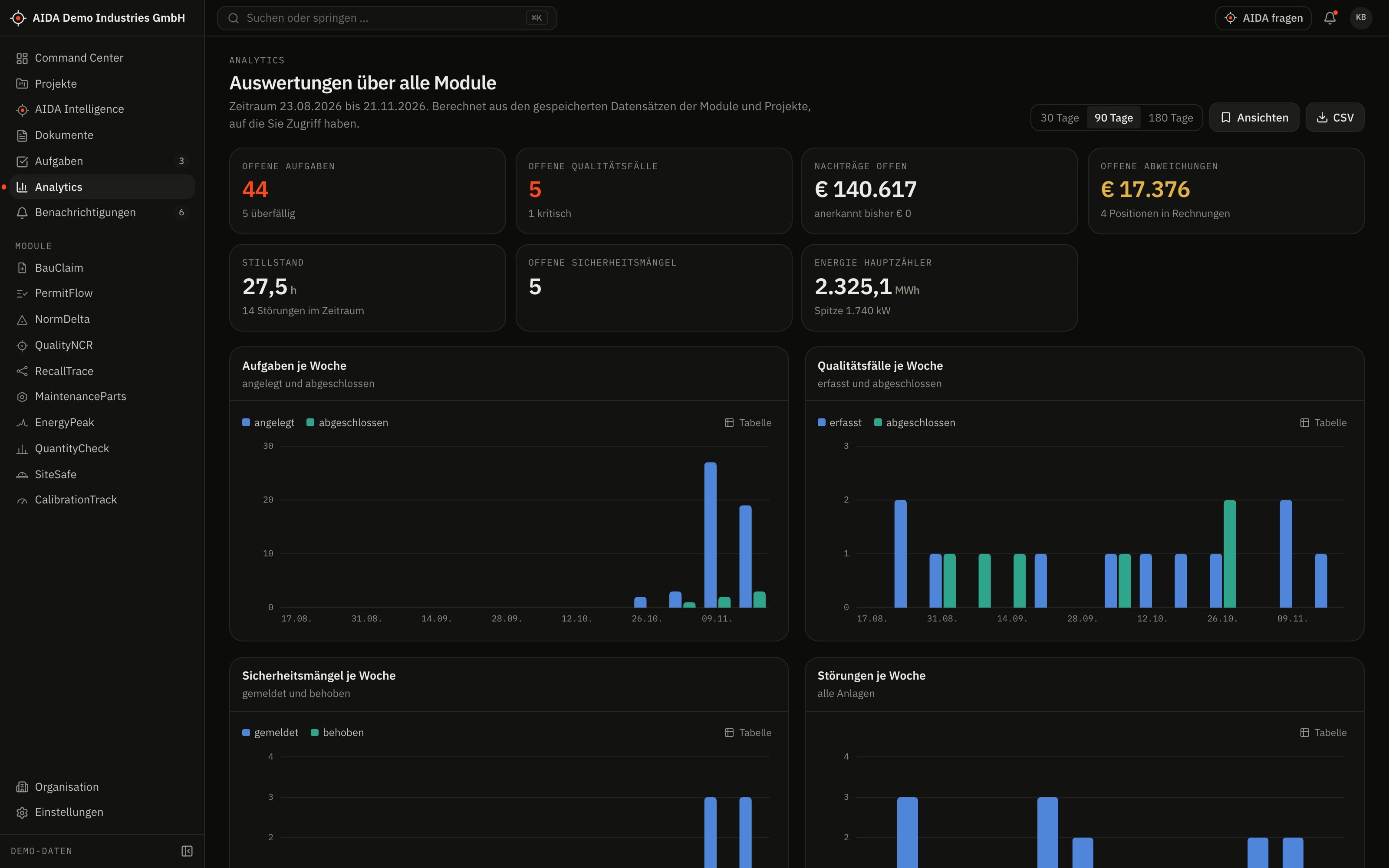
Analytics
Analysis across modules – computed from stored data, not estimated by a language model.
- Periods of 30, 90 or 180 days
- Tasks, quality cases, safety observations and failures per week; energy per day; claims by status; discrepancies by check rule
- Comparison of projects and of sites, exportable as CSV
- You only see what your role and the enabled modules permit
04
One Data
Model
The modules are not ten programs with interfaces in between. They share one database, one core and the same master data.
The shared core
Six building blocks are available to every module. No module brings its own version of them.
- Organisation and sites
- Plants, construction sites and offices of an organisation – the frame for every analysis.
- Projects
- Connect the construction modules and control who sees which records.
- Documents
- One store with versions; modules link documents as evidence.
- Tasks and approvals
- Created on the record and shown in the workspace of the person responsible.
- Industrial master data
- Suppliers, components, batches, equipment and instruments – maintained once, used in several modules.
- Audit log and search index
- Every change is logged; every record is indexed for search.
Twelve relations between the modules
Every line in the diagram is a relation in the data model. Pick a module to see which ones it shares data with.
Pick a module.
Every line is a relation in the data model – a shared project, a component, a batch, a piece of equipment, an instrument.
- Data relation between two modules
- Shared core: projects, sites, documents, tasks
- 01BauClaimlinked to PermitFlow, QuantityCheck
- 02PermitFlowlinked to BauClaim, QuantityCheck, SiteSafe, NormDelta
- 03NormDeltalinked to PermitFlow, QualityNCR, SiteSafe
- 04QualityNCRlinked to RecallTrace, CalibrationTrack, MaintenanceParts, NormDelta
- 05RecallTracelinked to QualityNCR, MaintenanceParts
- 06MaintenancePartslinked to QualityNCR, EnergyPeak, RecallTrace
- 07EnergyPeaklinked to MaintenanceParts
- 08QuantityChecklinked to PermitFlow, BauClaim
- 09SiteSafelinked to PermitFlow, NormDelta
- 10CalibrationTracklinked to QualityNCR
05
AIDA
Intelligence
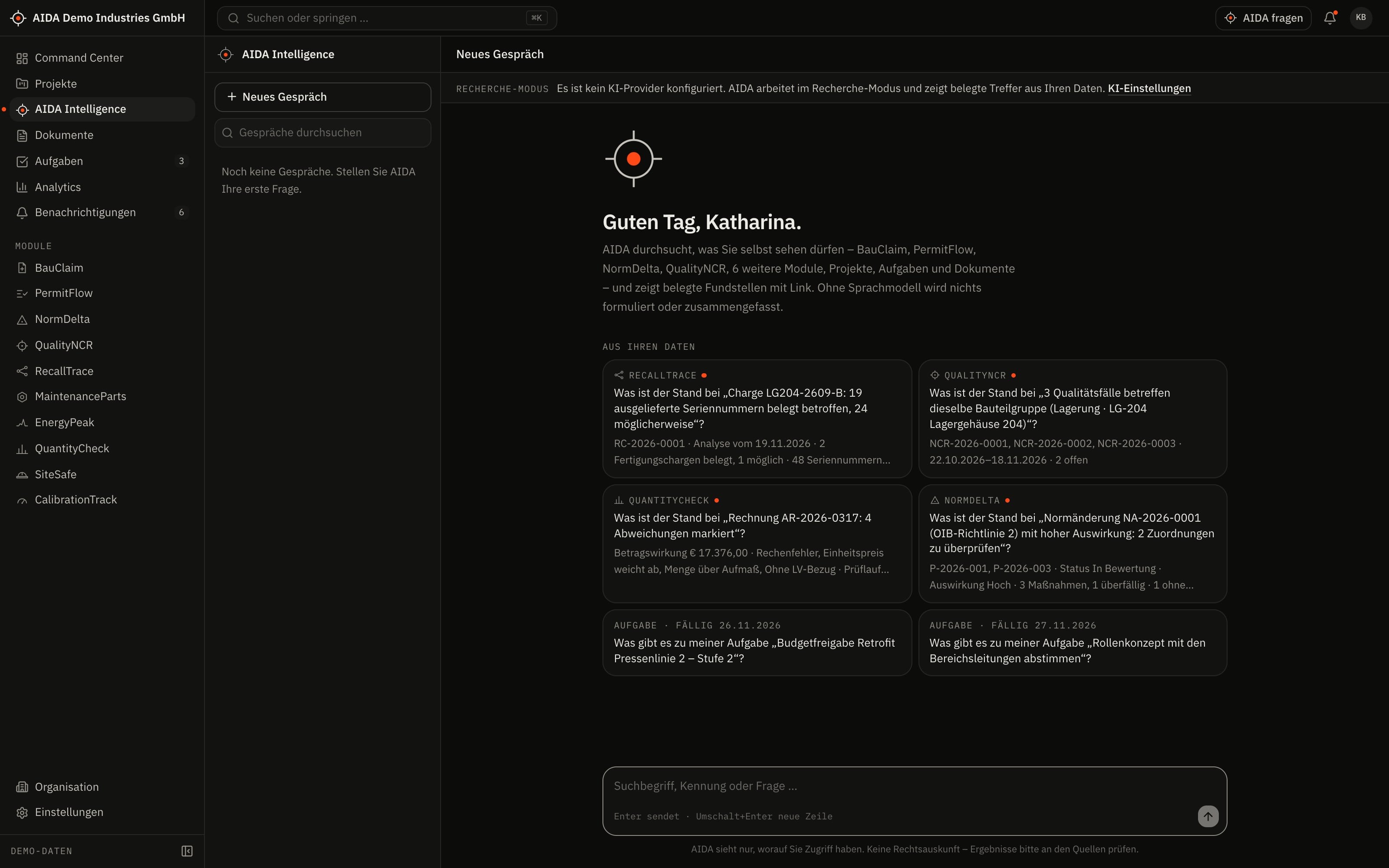
The platform's assistant: searches across all modules, reads documents and proposes next steps – by fixed rules.
Three ways of working
Company search
One question searches projects, document content and the records of every module – limited to what your role and your projects permit. Every finding links to the record. The search tolerates typos and finds exact identifiers.
Document intelligence
Summarise, extract data, compare versions. Extracted values are proposals and only count once a person has confirmed them.
Action assistant
AIDA proposes tasks and comments. Write actions are shown as proposals and are only carried out after you confirm. From any record the assistant can be opened with that context.
Five rules
Answers with sources
Every statement points with numbered sources to the records and documents it is drawn from.
Writing only after confirmation
The assistant creates and changes nothing before you have confirmed the proposal.
Without an AI service: research mode
No AI service is configured by default. The assistant then shows the sourced findings but writes no text.
AI service only after approval
Written answers require the operator to configure an AI service and your organisation to approve it explicitly.
Calculation stays deterministic
Totals, quantities, deadlines and key figures are computed by the modules' domain logic – no language model produces numbers.
What you get – without and with an AI service
Default configuration
Research mode
No AI service is configured. AIDA searches your data and shows what it finds.
- Included: Sourced findings from all modules, with a link to the record
- Included: Limited to your role and your projects
- Included: Rule-based AIDA insights in the modules
- Not included: No written answer text
- Not included: No summaries or drafts
After configuration and approval
With an AI service
The operator configures an AI service; your organisation explicitly approves it in the settings.
- Written answers, every statement with a source
- Summaries and drafts for a record
- Reading values from documents – as a proposal for confirmation
- Proposals for tasks, carried out only after you confirm
- Usage within the AI budget of your plan
This path is implemented in the application but has not yet been proven with a production AI service.
See AIDAat Work
We set up the modules that fit your projects and equipment – and support your start along your own questions.