10ModulesCalibration & Inspection Management
Every instrument valid. Every due date in view.
Instrument register, intervals, certificates and history. Values read from certificates only become binding after you confirm them.

10 — AIDA Industrial Suite
02
What
It Does
What CalibrationTrack does in the application – ordered by area.
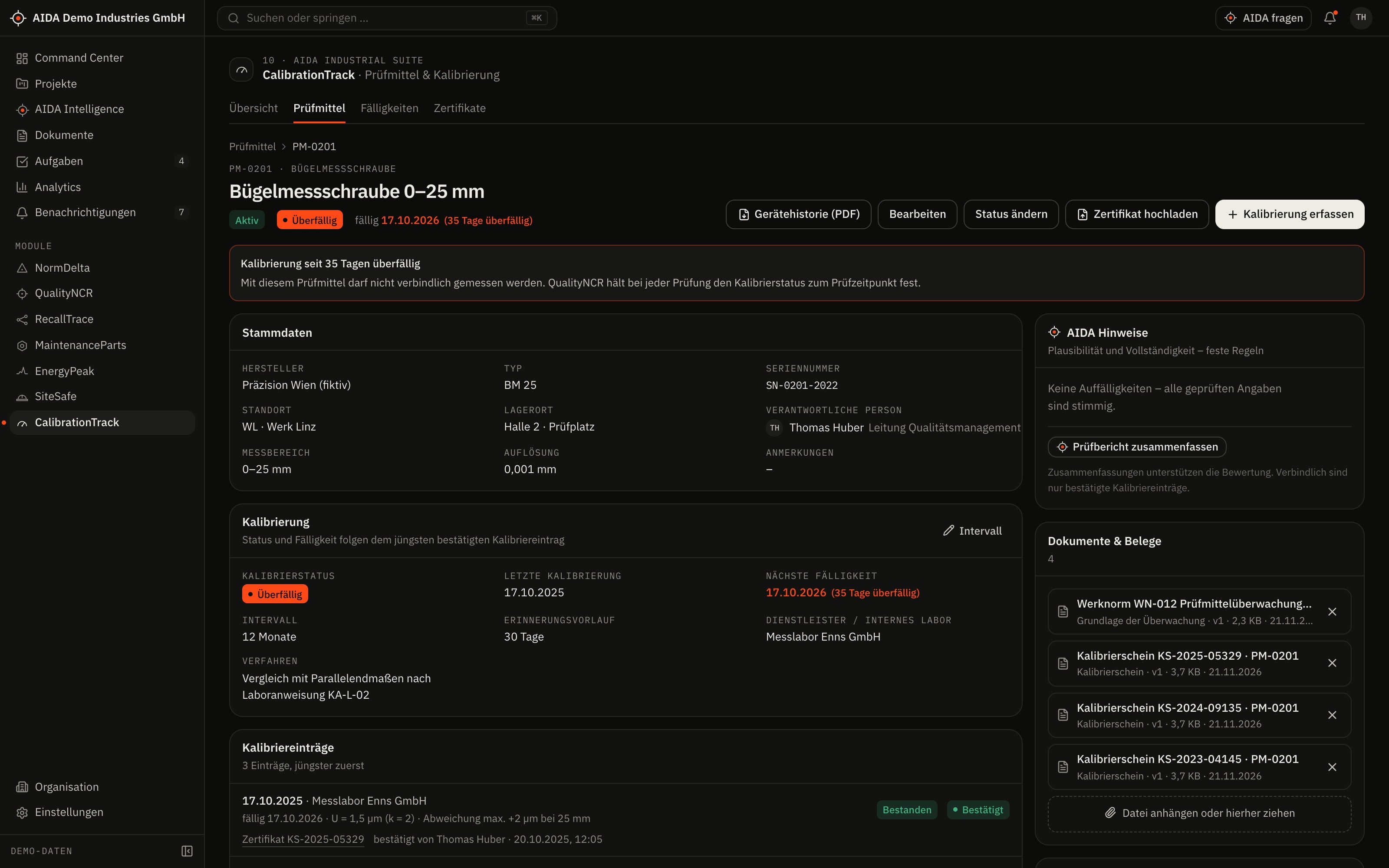
Instrument register
- Instruments with status: active, in calibration, blocked, retired
- Unblocking and reactivating require the “approve” right
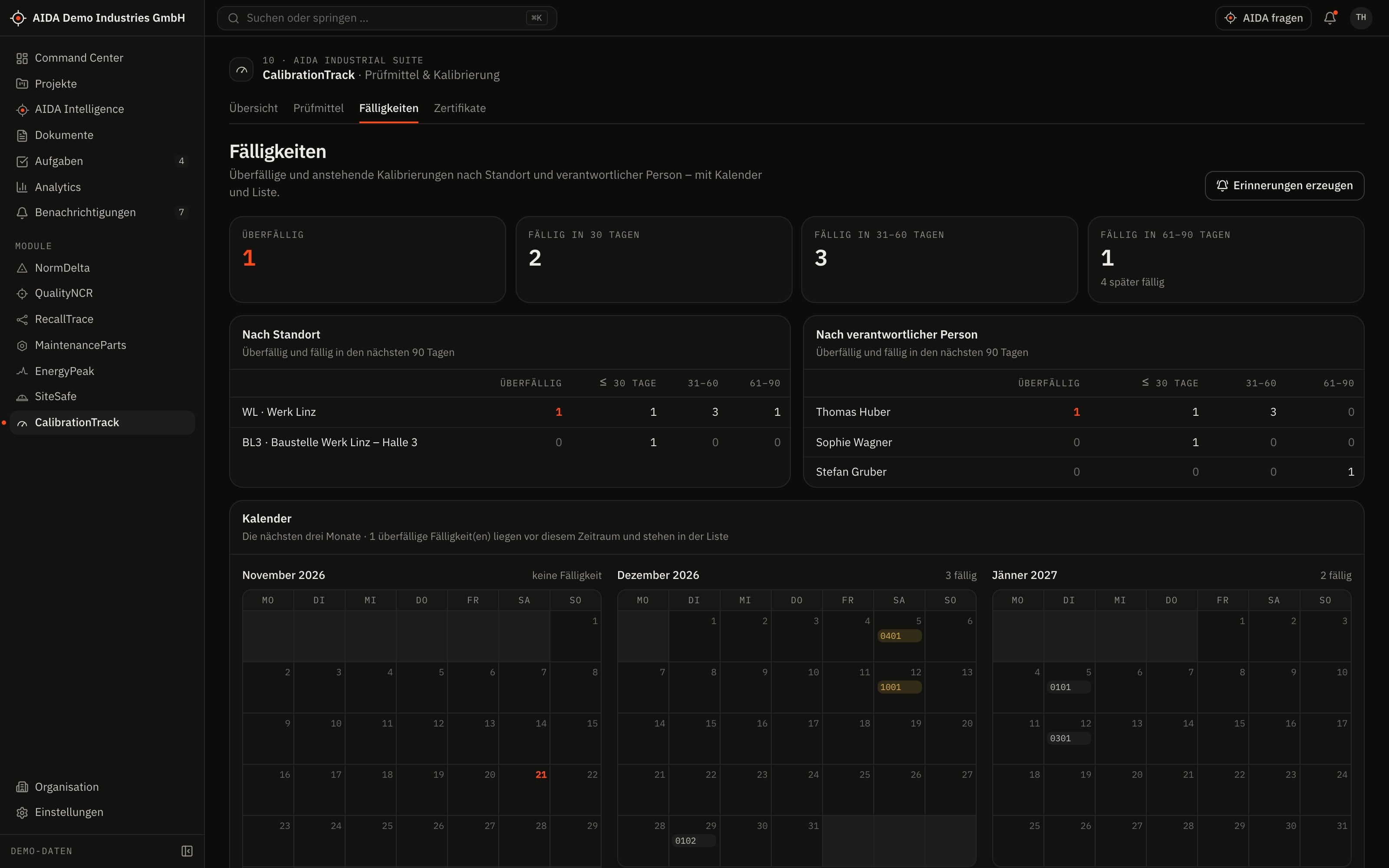
Intervals and due dates
- Calibration interval per instrument
- Due dates in bands: overdue, within 30, 60 and 90 days; plus a monthly overview
- Reminders when due and when overdue
Calibrations
- Record and confirm calibrations – with result and next due date
- Checked before confirmation: date, due date, adjustment values, duplicate entries
Certificates
- Upload the calibration certificate as PDF
- Have values read, review, correct and confirm them – or reject the certificate
03
How AIDA
Helps
Two kinds of support that AIDA never mixes: fixed rules over your data – and an assistant that only writes after approval.
Rule-based · no language model
AIDA insights
Insights come from fixed calculation rules over stored data. Each names its evidence and links to the record.
- Reading by pattern matching: calibration date, due date and result are searched for in the certificate text – every finding is shown. This requires a PDF with a text layer; scanned certificates are entered by hand.
- Plausibility: you must acknowledge a differing serial or inventory number; a calibration date in the future or a due date before the calibration date prevents confirmation.
- Failed: confirming a failed calibration blocks the instrument.
- Retrospective check: AIDA shows the QualityNCR inspections performed with the instrument in the affected period.
Assistant · only after approval
AIDA Intelligence
- With an approved AI service AIDA can additionally read the values of a certificate using a language model. These values too are proposals and only count after you confirm them.
- Answers cite their sources.
- Write actions are only carried out after you confirm.
- No AI service is configured by default. Without a service that is configured and approved by your organisation, the assistant works in research mode: sourced findings, no written text.
04
The
Workflow
From certificate to valid instrument
Upload the certificate
The calibration certificate is stored as a PDF with the instrument.
Read the values
AIDA proposes calibration date, due date and result and shows where in the document they appear.
Review and correct
You compare the proposals with the certificate and change what is wrong.
Confirm
Only now does the calibration count; the next due date is set.
On failure
The instrument is blocked; the retrospective check names the affected inspections.
Reports and exports
- Instrument history as PDF
- Audit report of instruments as at the day it is generated, as PDF
- Instrument register as CSV
Exports stay within the access limits of the person exporting; every export is in the audit log.
05
Clear
Limits
What CalibrationTrack does not do – so you know what you can rely on.
- Extracted values only count after confirmation
- What AIDA reads from a certificate is a proposal. A value becomes binding when a person has confirmed it.
- Evidence, not calibration
- CalibrationTrack keeps the register, deadlines and evidence. Calibration itself is done in the laboratory or by the calibration service.
06
Links
& Roles
Which modules CalibrationTrack shares data with – and which roles read, write, approve or delete in it.
Works together with
- QualityNCR
- instrument & calibration status
- AIDA Core
- projects, sites, documents, tasks and approvals
Roles and permissions
| Role template | Read | Write | Approve | Delete |
|---|---|---|---|---|
| Organization Owner | yes | yes | yes | yes |
| Organization Admin | yes | yes | yes | yes |
| Project Manager | yes | no | no | no |
| Engineer | yes | no | no | no |
| Quality Manager | yes | yes | yes | yes |
| Maintenance Manager | yes | yes | no | no |
| Read-Only Auditor | yes | no | no | no |
Templates as created when an organisation is set up. Every organisation can adapt them and create its own roles; checks happen on the server.
See AIDAat Work
With your access we set up CalibrationTrack for you – together with the modules that go with it.