08ModulesConstruction Quantity & Invoice Verification
Planned, measured, invoiced – line by line.
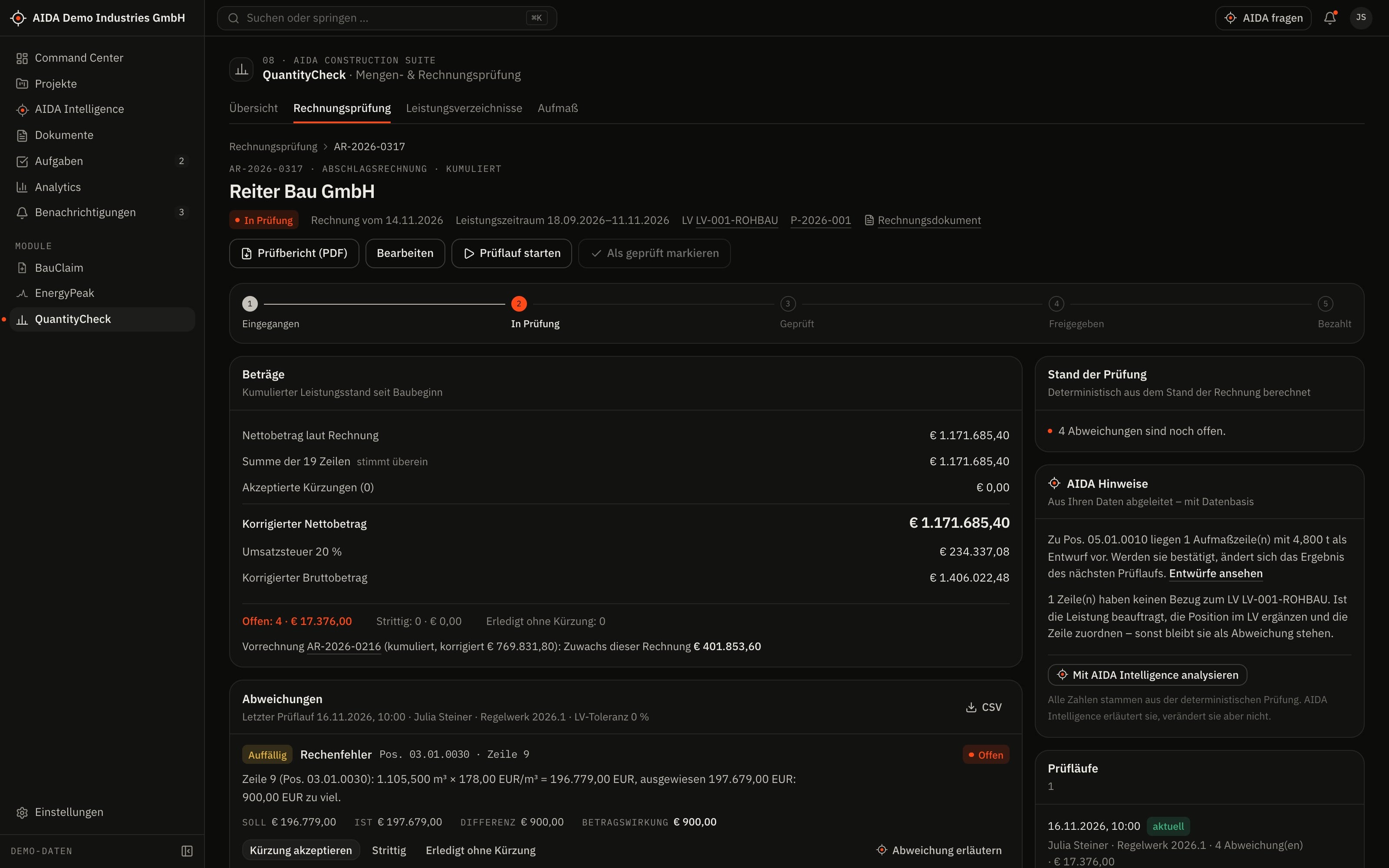
Bill of quantities, measurement and invoice reconciled. Every discrepancy is computed deterministically and explained.

08 — AIDA Construction Suite
02
What
It Does
What QuantityCheck does in the application – ordered by area.
Bill of quantities
- Create a bill of quantities; enter items or import them from CSV and XLSX – with a preview before applying
- An active bill of quantities is the basis for measurements and invoices
Measurements
- Measurement lines per item, also as a formula
- Confirm measurements individually or together; import from file
Invoice
- Enter or import an invoice with its lines
- Match lines to items – proposals by item number and text similarity that you confirm
- Interim invoices are considered cumulatively
Check and approval
- Decide every discrepancy individually: accept, dispute or resolve
- Corrected amount from the accepted discrepancies
- Commercial approval; afterwards the invoice can be marked as paid
03
How AIDA
Helps
Two kinds of support that AIDA never mixes: fixed rules over your data – and an assistant that only writes after approval.
Rule-based · no language model
AIDA insights
Insights come from fixed calculation rules over stored data. Each names its evidence and links to the record.
- Eight check rules: arithmetic error in the line, total error, item without reference to the bill of quantities, differing unit, differing unit price, quantity above confirmed measurement, quantity above the bill of quantities, duplicate line.
- Every discrepancy states the figures it arises from and its effect on the amount.
- If invoice, measurements or matching change after the check run, AIDA requires a new run before approval.
- Planned versus actual per item: bill of quantities, confirmed measurement and quantity invoiced to date side by side.
Assistant · only after approval
AIDA Intelligence
- With an approved AI service AIDA reads the lines of an invoice from the PDF – as a proposal that you review and adopt. Without an AI service you enter the lines or import them from CSV and XLSX.
- Answers cite their sources.
- Write actions are only carried out after you confirm.
- No AI service is configured by default. Without a service that is configured and approved by your organisation, the assistant works in research mode: sourced findings, no written text.
04
The
Workflow
From invoice to approval
Activate the bill of quantities
Items with quantity, unit and unit price are the planned side.
Confirm measurements
Only confirmed measurements count for the check.
Enter and match the invoice
Every line gets its item; you confirm uncertain matches.
Start the check run
The eight rules run over all lines. With the same data the result is always the same.
Decide the discrepancies
Accepted discrepancies reduce the amount; disputed ones remain visibly open.
Request approval
The finance reviewer approves the corrected amount or rejects it.
Reports and exports
- Invoice check report as PDF
- Invoices, bill of quantities and measurements as CSV
- Sample files for the import
Exports stay within the access limits of the person exporting; every export is in the audit log.
05
Clear
Limits
What QuantityCheck does not do – so you know what you can rely on.
- Deterministic calculation
- Quantities, prices and amounts are computed with fixed decimal places and checked by fixed rules. No language model calculates or produces numbers; lines read from documents are proposals that you confirm.
- The invoice is checked, not the work
- QuantityCheck compares invoice, bill of quantities and confirmed measurement. Whether the work has been done is established by your measurement.
06
Links
& Roles
Which modules QuantityCheck shares data with – and which roles read, write, approve or delete in it.
Works together with
- PermitFlow
- shared project
- BauClaim
- contract & bill of quantities
- AIDA Core
- projects, sites, documents, tasks and approvals
Roles and permissions
| Role template | Read | Write | Approve | Delete |
|---|---|---|---|---|
| Organization Owner | yes | yes | yes | yes |
| Organization Admin | yes | yes | yes | yes |
| Project Manager | yes | yes | yes | no |
| Engineer | yes | yes | no | no |
| Finance Reviewer | yes | yes | yes | no |
| Read-Only Auditor | yes | no | no | no |
Templates as created when an organisation is set up. Every organisation can adapt them and create its own roles; checks happen on the server.
See AIDAat Work
With your access we set up QuantityCheck for you – together with the modules that go with it.